http://old.nabble.com/libX11-and-libXext-%28at-least%29-fail-using-prefix-on-make-install-td31891593.html
http://en.opensuse.org/Wine#64-bit
https://build.opensuse.org/package/show?package=libXext&project=openSUSE%3A12.2
https://build.opensuse.org/package/view_file?file=libXext.spec&package=libXext&project=openSUSE%3A12.2&rev=14945e6c6db1aa638783399857fb50b8
http://softimage.wiki.softimage.com/xsidocs/EnvVars_SettingandUsingEnvironmentVariables.htm
http://www.cfd-online.com/Forums/cfx/25236-ansys-workbench-uncertified-linux-distros-11.html
http://lists.opensuse.org/opensuse/2013-01/msg00336.html
http://xsisupport.com/2011/04/27/running-softimage-on-other-distros-like-ubuntu-kubuntu-pardus-and-gentoo/
http://translate.google.com/translate?hl=en&sl=ru&u=http://softimage.ru/forums/index.php%3Fs%3Dc55a23a4a3394528f5518d8269a872ad%26showtopic%3D6845%26st%3D15&prev=/search%3Fq%3Dhttp://softimage.ru/forums/index.php%253Fs%253Dc55a23a4a3394528f5518d8269a872ad%2526showtopic%253D6845%2526st%253D15%26hl%3Den%26client%3Dfirefox-a%26hs%3DUKj%26tbo%3Dd%26rls%3Dorg.mozilla:en-US:official&sa=X&ei=WgcAUeGrH-SH0QH4joDYAw&ved=0CDQQ7gEwAA
http://en.opensuse.org/SDB:SELinux#SELinux_and_openSUSE_12.3
https://groups.google.com/forum/#!topic/xsi_list/kGrl2Oom-fU/discussion
https://groups.google.com/forum/#!topic/xsi_list/dUrC8i2mpb4/discussion
https://groups.google.com/forum/#!topic/xsi_list/giYHCZAlgFM/discussion
https://groups.google.com/forum/#!topic/xsi_list/H9sur-oVpUY/discussion
http://www.globes.com/support/fnp_utilities_download.htm#downloads
http://usa.autodesk.com/adsk/servlet/ps?siteID=123112&id=20364477&linkID=12544120
http://www.pgroup.com/userforum/viewtopic.php?t=3056&sid=ed635f916c15f74148a0d1fefaef742e
http://forums.gentoo.org/viewtopic-t-421158-start-0.html
http://usa.autodesk.com/adsk/servlet/ps/dl/index?siteID=123112&id=2334435&linkID=12544121#
25.1.13

installing on opensuse 64
Some history of the quest to install and run softimage on opensuse:
flexnetserver FNPLicenseServerManager kde3 linux-1xdl.lic
eric@linux-1xdl:~>
########after running lmgrd -c /opt/linux-1xdl.lic
nux-1xdl:~> lmutil lmstat
lmutil - Copyright (c) 1989-2012 Flexera Software LLC. All Rights Reserved.
Flexible License Manager status on Wed 1/23/2013 18:47
License server status: 27000@linux-1xdl
License file(s) on linux-1xdl: /opt/linux-1xdl.lic:
linux-1xdl: license server UP (MASTER) v11.10
Vendor daemon status (on linux-1xdl):
adskflex: UP v11.10
eric@linux-1xdl:~>
#######after confirming that lmgrd is running
eric@linux-1xdl:~> tcsh
/home/eric> source /usr/Softimage/Softimage_2011/.xsi_2011
Xlib: connection to ":0.0" refused by server
Xlib: No protocol specified
xset: unable to open display ":0"
Xlib: connection to ":0.0" refused by server
Xlib: No protocol specified
xset: unable to open display ":0"
Xlib: connection to ":0.0" refused by server
Xlib: No protocol specified
xset: unable to open display ":0"
/home/eric>
############## temporary fix is to use xhost to allow universal access
/home/eric> xhost +
Xlib: connection to ":0.0" refused by server
Xlib: No protocol specified
xhost: unable to open display ":0"
/home/eric>
######### or was, try sudo
####### also, checking for host in /etc/hosts
---*here*----
# hosts This file describes a number of hostname-to-address
# mappings for the TCP/IP subsystem. It is mostly
# used at boot time, when no name servers are running.
# On small systems, this file can be used instead of a
# "named" name server.
# Syntax:
#
# IP-Address Full-Qualified-Hostname Short-Hostname
#
127.0.0.1 localhost
70.44.***.171 linux-1xdl
# special IPv6 addresses
::1 localhost ipv6-localhost ipv6-loopback
fe00::0 ipv6-localnet
ff00::0 ipv6-mcastprefix
ff02::1 ipv6-allnodes
ff02::2 ipv6-allrouters
ff02::3 ipv6-allhosts
################ back to getting X to work.
############### sudo does not work, su -c "xhost" does!
/home/eric> sudo xhost
xhost: unable to open display ""
/home/eric> su -c
su: option requires an argument -- 'c'
Try 'su --help' for more information.
/home/eric> su -c "xhost"
Password:
access control enabled, only authorized clients can connect
/home/eric>
###################### turn off authorization as per,
####### http://softimage.ru/forums/index.php?s=c55a23a4a3394528f5518d8269a872ad######### &showtopic=6845&st=15
/home/eric> su -c " xhost +"
Password:
access control disabled, clients can connect from any host
/home/eric>
################# source .xsi_2011 again, not sure what it does
/home/eric> source /usr/Softimage/Softimage_2011/.xsi_2011
/home/eric>
############### try running softimage
/home/eric> /usr/Softimage/Softimage_2011/Application/bin/xsi
/usr/Softimage/Softimage_2011/Application/bin/XSI.bin: symbol lookup error: /usr/lib64/libXext.so.6: undefined symbol: _XGetRequest
/home/eric>
######### found a fix for this.
######### HERE ->http://xsisupport.com/2011/04/27/running-softimage-on-other-di######## stros-like-ubuntu-kubuntu-pardus-and-gentoo/
####### ------
/home/eric> /usr/Softimage/Softimage_2011/Application/bin/cmdreg libdsprsr.so
Loading libdsprsr.so: done
libdsprsr.so: Registration succeeded
/home/eric>
############ worked although I don't know what it did,
####### source .xsi_2011 again
/home/eric> source /usr/Softimage/Softimage_2011/.xsi_2011
/home/eric>
######### try to run xsi again.
######### no dice -----> other fix!
###### maybe------>http://forums.gentoo.org/viewtopic-t-929508-start-0.html
########## -----< try to get some clue.
########## xrdb ??????????
####### LEARN xrdb -query
/home/eric> xrdb -query
*AxeText.Translations: #override \n ~Shift ~Meta ~Alt
*Command*highlightThickness: 2
*Command.background: grey77
*Command.foreground: black
*Form.background: grey67
*Form.foreground: black
*Label*borderWidth: 2
*Label*shadowWidth: 2
*MenuButton*highlightThickness: 2
*MenuButton.background: grey77
*MenuButton.foreground: black
*Panner*shadowThickness: 2
*PushThumb: False
*Scrollbar*background: grey77
*Scrollbar*borderWidth: 2
*Scrollbar*cursorName: top_left_arrow
*Scrollbar*foreground: grey37
*Scrollbar*height: 15
*Scrollbar*pointerColor: black
*Scrollbar*pointerColorBackground: white
*Scrollbar*pushThumb: false
*Scrollbar*shadowWidth: 2
*Scrollbar*width: 15
*ScrollbarBackground: grey67
*ScrollbarForeground: grey37
*SimpleMenu*background: grey77
*SimpleMenu*foreground: black
*SimpleMenu*shadowThickness: 2
*SmeBSB*shadowWidth: 2
*Text.Translations: #override \n ~Shift ~Meta ~Alt
*Toggle*highlightThickness: 2
*TransientShell*Dialog.background: grey67
*TransientShell*Dialog.foreground: black
*XConsole*text.scrollHorizontal: False
*XConsole*text.wrap: line
*XmText.Translations: #override \n ~Shift ~Meta ~Alt
*XmTextField.Translations: #augment \n ~Shift ~Meta ~Alt
*basicLocale: C
*beNiceToColormap: False
*bottomShadowContrast: 45
*customization: -color
*displayLang: C
*inputLang: C
*numeric: C
*printCommand: lpr
*shadowWidth: 2
*shapeStyle: Rectangle
*timeFormat: C
*topShadowContrast: 20
Ghostview.pageMedia: A4
Mwm.interactivePlacement: false
Scrollbar.JumpCursor: True
XSysinfo*.BarGauge.background: white
XSysinfo*.background: gray50
XSysinfo*.font: fixed
XSysinfo*.idle.name.label: CPU Idle:
XSysinfo*.load.name.label: CPU Load:
XSysinfo*.mem.name.label: Memory:
XSysinfo*.swap.name.label: Swap:
XSysinfo*.title.label: Linx System Info
XSysinfo*.title.width: 200
XSysinfo*idle*bar.backgroud: red
XSysinfo*idle*bar.foreground: green
XSysinfo*load*bar.foreground: RosyBrown1
XSysinfo*load*bar.foreground1: IndianRed1
XSysinfo*load*bar.foreground2: OrangeRed1
XSysinfo*load*bar.foreground3: firebrick1
XSysinfo*load*bar.foreground4: pink1
XSysinfo*load*bar.foreground5: HotPink1
XSysinfo*load*bar.foreground6: DeepPink2
XSysinfo*load*bar.foreground7: maroon1
XSysinfo*load*bar.segmentGap: 1
XSysinfo*mem*bar.foreground: tomato
XSysinfo*mem*bar.foreground1: green3
XSysinfo*mem*bar.foreground2: orchid
XSysinfo*swap*bar.foreground: hotpink1
xrenoise.display: :0
xrenoise.display_resource: 0x00,0x1B,0x48,0x44,0xBF,0xC0,0xD8,0x24
xrenoise.executable_path: /usr/bin/renoise
xrenoise.use_xcursors: 1
Xft.dpi: 96
Xft.antialias: 1
Xft.hinting: 1
Xft.hintstyle: hintmedium
Xft.rgba: none
/home/eric> xrdb -query
################### Should be able to find some info about xsi problem.
########## no help! I think, just window style info.
######### more info
/home/eric> /usr/Softimage/Softimage_2011/Application/bin/xsi
/usr/Softimage/Softimage_2011/Application/bin/XSI.bin: symbol lookup error: /usr/lib64/libXext.so.6: undefined symbol: _XGetRequest
/home/eric>
######## try to get info about libXext.so.6
############################ zypper wp libXext.so.6 (what provides)
/home/eric> zypper wp libXext.so.6
zypper: /usr/Softimage/Softimage_2011/Application/bin/libstdc++.so.6: version `GLIBCXX_3.4.11' not found (required by zypper)
zypper: /usr/Softimage/Softimage_2011/Application/bin/libstdc++.so.6: version `CXXABI_1.3.5' not found (required by zypper)
zypper: /usr/Softimage/Softimage_2011/Application/bin/libstdc++.so.6: version `GLIBCXX_3.4.15' not found (required by zypper)
zypper: /usr/Softimage/Softimage_2011/Application/bin/libstdc++.so.6: version `GLIBCXX_3.4.11' not found (required by /usr/lib64/libzypp.so.1106)
zypper: /usr/Softimage/Softimage_2011/Application/bin/libstdc++.so.6: version `CXXABI_1.3.5' not found (required by /usr/lib64/libzypp.so.1106)
zypper: /usr/Softimage/Softimage_2011/Application/bin/libstdc++.so.6: version `GLIBCXX_3.4.15' not found (required by /usr/lib64/libzypp.so.1106)
zypper: /usr/Softimage/Softimage_2011/Application/bin/libstdc++.so.6: version `GLIBCXX_3.4.11' not found (required by /usr/lib64/libproxy.so.1)
/home/eric>
##################### Not sure what this means, I think it means that the
################ library path is fuck'd.
############ so, back to ------->http://xsisupport.com/2011/04/27/running-softi############ mage-on-other-distros-like-ubuntu-kubuntu-pardus-and-gentoo/
############ ------< because there was an ldd command to do something with the ############ libraries.
/home/eric> cmdreg libdsprsr.so
Loading libdsprsr.so: done
libdsprsr.so: Registration succeeded
/home/eric>
############### Not per description, lets see what happens?
/home/eric> ldd /usr/Softimage/Softimage_2011/Application/bin/libdsprsr.so
linux-vdso.so.1 (0x00007fff2b7ff000)
libmfbas10.so => /usr/Softimage/Softimage_2011/Application/bin/libmfbas10.so (0x00007fbba32ae000)
libdssdk10.so => /usr/Softimage/Softimage_2011/Application/bin/libdssdk10.so (0x00007fbba2e8a000)
libilcor10.so => /usr/Softimage/Softimage_2011/Application/bin/libilcor10.so (0x00007fbba29e8000)
librasterfileio.so => /usr/Softimage/Softimage_2011/Application/bin/librasterfileio.so (0x00007fbba27d2000)
libxsimlsdk.so => /usr/Softimage/Softimage_2011/Application/bin/libxsimlsdk.so (0x00007fbba25c6000)
libolepro32.so => /usr/Softimage/Softimage_2011/Application/mainwin/mw/lib-amd64_linux_optimized/libolepro32.so (0x00007fbba24c3000)
libsixmlparse.so => /usr/Softimage/Softimage_2011/Application/bin/libsixmlparse.so (0x00007fbba228c000)
libspdlparse.so => /usr/Softimage/Softimage_2011/Application/bin/libspdlparse.so (0x00007fbba204a000)
libgk10.so => /usr/Softimage/Softimage_2011/Application/bin/libgk10.so (0x00007fbba1ca5000)
libsigeneral.so => /usr/Softimage/Softimage_2011/Application/bin/libsigeneral.so (0x00007fbba1a4c000)
libstub.so => /usr/Softimage/Softimage_2011/Application/bin/libstub.so (0x00007fbba1847000)
liboleaut32.so => /usr/Softimage/Softimage_2011/Application/mainwin/mw/lib-amd64_linux_optimized/liboleaut32.so (0x00007fbba15fd000)
libole32.so => /usr/Softimage/Softimage_2011/Application/mainwin/mw/lib-amd64_linux_optimized/libole32.so (0x00007fbba1337000)
librpcrt4.so => /usr/Softimage/Softimage_2011/Application/mainwin/mw/lib-amd64_linux_optimized/librpcrt4.so (0x00007fbba116f000)
libmfc400s.so => /usr/Softimage/Softimage_2011/Application/mainwin/mw/lib-amd64_linux_optimized/libmfc400s.so (0x00007fbba0df9000)
libversion.so => /usr/Softimage/Softimage_2011/Application/mainwin/mw/lib-amd64_linux_optimized/libversion.so (0x00007fbba0ced000)
libshell32.so => /usr/Softimage/Softimage_2011/Application/mainwin/mw/lib-amd64_linux_optimized/libshell32.so (0x00007fbba0b05000)
libcomctl32.so => /usr/Softimage/Softimage_2011/Application/mainwin/mw/lib-amd64_linux_optimized/libcomctl32.so (0x00007fbba0955000)
libshlwapi.so => /usr/Softimage/Softimage_2011/Application/mainwin/mw/lib-amd64_linux_optimized/libshlwapi.so (0x00007fbba07c4000)
libgdiuser32.so => /usr/Softimage/Softimage_2011/Application/mainwin/mw/lib-amd64_linux_optimized/libgdiuser32.so (0x00007fbba044e000)
libadvapi32.so => /usr/Softimage/Softimage_2011/Application/mainwin/mw/lib-amd64_linux_optimized/libadvapi32.so (0x00007fbba0316000)
libuuid.so => /usr/Softimage/Softimage_2011/Application/mainwin/mw/lib-amd64_linux_optimized/libuuid.so (0x00007fbba01ea000)
libmsvcrt.so => /usr/Softimage/Softimage_2011/Application/mainwin/mw/lib-amd64_linux_optimized/libmsvcrt.so (0x00007fbba00c7000)
libsialloc.so => /usr/Softimage/Softimage_2011/Application/bin/libsialloc.so (0x00007fbb9febb000)
libkernel32.so => /usr/Softimage/Softimage_2011/Application/mainwin/mw/lib-amd64_linux_optimized/libkernel32.so (0x00007fbb9fc69000)
libz.so.1 => /lib64/libz.so.1 (0x00007fbb9fa3f000)
libjpeg.so.62 => /usr/lib64/libjpeg.so.62 (0x00007fbb9f7f3000)
libtiff.so.3 => /usr/lib64/libtiff.so.3 (0x00007fbb9f58d000)
libdl.so.2 => /lib64/libdl.so.2 (0x00007fbb9f389000)
libX11.so.6 => /usr/Softimage/Softimage_2011/Application/mainwin/mw/lib-amd64_linux_optimized/X11/libX11.so.6 (0x00007fbb9f051000)
libXext.so.6 => /usr/lib64/libXext.so.6 (0x00007fbb9ee3e000)
libpthread.so.0 => /lib64/libpthread.so.0 (0x00007fbb9ec22000)
libstdc++.so.6 => /usr/Softimage/Softimage_2011/Application/bin/libstdc++.so.6 (0x00007fbb9e91b000)
libm.so.6 => /lib64/libm.so.6 (0x00007fbb9e623000)
libc.so.6 => /lib64/libc.so.6 (0x00007fbb9e27e000)
libgcc_s.so.1 => /lib64/libgcc_s.so.1 (0x00007fbb9e068000)
liblinktab.so => /usr/Softimage/Softimage_2011/Application/bin/liblinktab.so (0x00007fbb9de61000)
libxerces-c.so.27 => /usr/Softimage/Softimage_2011/Application/bin/libxerces-c.so.27 (0x00007fbb9d93a000)
/lib64/ld-linux-x86-64.so.2 (0x00007fbba3942000)
libXau.so.6 => /usr/lib64/libXau.so.6 (0x00007fbb9d735000)
libXdmcp.so.6 => /usr/lib64/libXdmcp.so.6 (0x00007fbb9d52e000)
/home/eric> cmdreg libdsprsr.so
Loading libdsprsr.so: done
libdsprsr.so: Registration succeeded
/home/eric> source /usr/Softimage/Softimage_2011/.xsi_2011
/home/eric>
############ nothing odd I think, maybe
############## /home/eric> ldd /usr/Softimage/Softimage_2011/Application/bin/############ libdsprsr.so | grep not
/home/eric> ldd /usr/Softimage/Softimage_2011/Application/bin/libdsprsr.so | grep not
/home/eric>
########## nothing "not found"
############# More info on-------> http://xsisupport.com/2011/04/27/running-softimage-on-other-distros-like-ubuntu-kubuntu-pardus-and-gentoo/ -------<
############ cmdreg -f XSICOMDLLs.lst or maybe ".1st"
########### either way
/home/eric> /usr/Softimage/Softimage_2011/Application/bin/cmdreg -f XSICOMDLLs.lst
Error: can't read [XSICOMDLLs.lst]
/home/eric> /usr/Softimage/Softimage_2011/Application/bin/cmdreg -f XSICOMDLLs.1st
Error: can't read [XSICOMDLLs.1st]
########## nothing good.
/home/eric> /usr/Softimage/Softimage_2011/Application/bin/cmdreg --help
Registers or unregisters OLE COM servers, Release 1.2
Usage: cmdreg [-dll_loc DllLocation] [-u] [-f DllFileList] [ file1 ... ]
cmdreg can accept wildcards in filenames.
Options:
[-dll_loc DllLocation] : DllLocation will be prepended to all files in DllFileList.
[-u] : Unregister servers specified.
[-f DllFileList] : Path to a file containing list of dll(s) to process
/home/eric>
########################## need to find XSICOMDLLs.lst
########## looks like `el' st that is ".lst"
pplication/bin> cmdreg XSICOMDLLs.lst
Loading XSICOMDLLs.lst: Unable to load library (Error code 126: The specified module could not be found). Running REGSVR32.EXE may provide more information
Application/bin>
############# tried again different result
:::::::::::::::::: SUMMARY :::::::::::::;
########at this point I have run into 2 things that I cannot/have not discovered########solutions to.
pplication/bin> cmdreg XSICOMDLLs.lst
Loading XSICOMDLLs.lst: Unable to load library (Error code 126: The specified module could not be found). Running REGSVR32.EXE may provide more information
Application/bin>
########## AND #########
Application/bin> ./xsi
/usr/Softimage/Softimage_2011/Application/bin/XSI.bin: symbol lookup error: /usr/lib64/libXext.so.6: undefined symbol: _XGetRequest
Application/bin>
##### According to ------->http://forums.gentoo.org/viewtopic-t-929508-start-0.##### html-------< something about NX neatx or something
######### Google libXext.s0.6
########## maybe ------>http://www.artwork.com/gdsii/qckvu/faq/64bitlib.htm
############# run ldd on xsi itself
########### or rather .... that didn't work
######## I am thinking that I don't have gcc installed or c++
/home/eric> zypper info
Required argument missing.
Usage:
info (if) [options]
Show detailed information for specified packages.
Command options:
-r, --repo
-t, --type
Default: package.
--requires Show also requires and prerequires.
--recommends Show also recommends.
/home/eric> zypper info gcc
Loading repository data...
Reading installed packages...
Information for package gcc:
Repository: openSUSE-12.2-Oss
Name: gcc
Version: 4.7-2.1.1
Arch: x86_64
Vendor: openSUSE
Installed: No
Status: not installed
Installed Size: 0 B
Summary: The system GNU C Compiler
Description:
The system GNU C Compiler.
/home/eric> zypper info cc
Loading repository data...
Reading installed packages...
package 'cc' not found.
/home/eric> zypper info c
Loading repository data...
Reading installed packages...
package 'c' not found.
/home/eric> zypper info c++
Loading repository data...
Reading installed packages...
package 'c++' not found.
/home/eric> zypper info compiler
Loading repository data...
Reading installed packages...
package 'compiler' not found.
/home/eric>
################### looks like gcc is not install
########## but I think I have been through this before continuing to look-------########## --------->http://old.nabble.com/libX11-and-libXext-%28at-least%29-fai######### l-using-prefix-on-make-install-td31891593.html
########## maybe this XGET thing is mentioned at freedesktop.
######## I think I may have found it::
# references:
# http://packages.debian.org/cgi-bin/search_contents.pl?word=libXext.so.6&searc# hmode=searchfiles&case=insensitive&version=unstable&arch=i386
# http://old.nabble.com/libX11-and-libXext-%28at-least%29-fail-using-prefix-on-m# ake-install-td31891593.html
# https://bugzilla.novell.com/show_bug.cgi?id=578577
# MOST RELEVANT:
# http://lists.opensuse.org/opensuse-updates/2010-05/msg00003.html
#
sgml/opensp> sudo zypper install xorg-x11-libXext-devel
Loading repository data...
Reading installed packages...
'xorg-x11-libXext-devel' not found in package names. Trying capabilities.
Resolving package dependencies...
The following NEW packages are going to be installed:
glibc-devel libX11-devel libXau-devel libxcb-composite0 libxcb-damage0 libxcb-devel libxcb-dpms0 libx
libxcb-xinerama0 libxcb-xprint0 libxcb-xtest0 libxcb-xv0 libxcb-xvmc0 libXext-devel linux-glibc-devel
23 new packages to install.
Overall download size: 4.0 MiB. After the operation, additional 22.5 MiB will be used.
Continue? [y/n/?] (y): y
Retrieving package linux-glibc-devel-3.4.0-2.1.23.noarch
Retrieving: linux-glibc-devel-3.4.0-2.1.23.noarch.rpm .................................................
Retrieving package python-xcb-proto-devel-7.6-32.1.2.x86_64
Retrieving: python-xcb-proto-devel-7.6-32.1.2.x86_64.rpm ..............................................
Retrieving package libxcb-composite0-1.8.1-2.4.1.x86_64
Retrieving: libxcb-composite0-1.8.1-2.4.1.x86_64.rpm ..................................................
Retrieving package libxcb-damage0-1.8.1-2.4.1.x86_64
Retrieving: libxcb-damage0-1.8.1-2.4.1.x86_64.rpm .....................................................
Retrieving package libxcb-dpms0-1.8.1-2.4.1.x86_64
Retrieving: libxcb-dpms0-1.8.1-2.4.1.x86_64.rpm .......................................................
Retrieving package libxcb-randr0-1.8.1-2.4.1.x86_64
Retrieving: libxcb-randr0-1.8.1-2.4.1.x86_64.rpm ......................................................
Retrieving package libxcb-record0-1.8.1-2.4.1.x86_64
Retrieving: libxcb-record0-1.8.1-2.4.1.x86_64.rpm .....................................................
Retrieving package libxcb-res0-1.8.1-2.4.1.x86_64
Retrieving: libxcb-res0-1.8.1-2.4.1.x86_64.rpm ........................................................
Retrieving package libxcb-screensaver0-1.8.1-2.4.1.x86_64
Retrieving package libxcb-record0-1.8.1-2.4.1.x86_64
Retrieving: libxcb-record0-1.8.1-2.4.1.x86_64.rpm .....................................................
Retrieving package libxcb-res0-1.8.1-2.4.1.x86_64
Retrieving: libxcb-res0-1.8.1-2.4.1.x86_64.rpm ........................................................
Retrieving package libxcb-screensaver0-1.8.1-2.4.1.x86_64
Retrieving: libxcb-screensaver0-1.8.1-2.4.1.x86_64.rpm ................................................
Retrieving package libxcb-sync0-1.8.1-2.4.1.x86_64
Retrieving: libxcb-sync0-1.8.1-2.4.1.x86_64.rpm .......................................................
Retrieving package libxcb-xevie0-1.8.1-2.4.1.x86_64
Retrieving: libxcb-xevie0-1.8.1-2.4.1.x86_64.rpm ......................................................
Retrieving package libxcb-xf86dri0-1.8.1-2.4.1.x86_64
Retrieving: libxcb-xf86dri0-1.8.1-2.4.1.x86_64.rpm ....................................................
Retrieving package libxcb-xinerama0-1.8.1-2.4.1.x86_64
Retrieving: libxcb-xinerama0-1.8.1-2.4.1.x86_64.rpm ...................................................
Retrieving package libxcb-xprint0-1.8.1-2.4.1.x86_64
Retrieving: libxcb-xprint0-1.8.1-2.4.1.x86_64.rpm .....................................................
Retrieving package libxcb-xtest0-1.8.1-2.4.1.x86_64
Retrieving: libxcb-xtest0-1.8.1-2.4.1.x86_64.rpm ......................................................
Retrieving package libxcb-xv0-1.8.1-2.4.1.x86_64
Retrieving: libxcb-xv0-1.8.1-2.4.1.x86_64.rpm .........................................................
Retrieving package libxcb-xvmc0-1.8.1-2.4.1.x86_64
Retrieving: libxcb-xvmc0-1.8.1-2.4.1.x86_64.rpm .......................................................
Retrieving package glibc-devel-2.15-22.17.1.x86_64
Retrieving: glibc-devel-2.15-22.17.1.x86_64.rpm .......................................................
Retrieving package xorg-x11-proto-devel-7.6-32.1.2.x86_64
Retrieving: xorg-x11-proto-devel-7.6-32.1.2.x86_64.rpm ................................................
Retrieving package libXau-devel-1.0.7-2.1.2.x86_64
Retrieving: libXau-devel-1.0.7-2.1.2.x86_64.rpm .......................................................
Retrieving package libxcb-devel-1.8.1-2.4.1.x86_64
Retrieving: libxcb-devel-1.8.1-2.4.1.x86_64.rpm .......................................................
Retrieving package libX11-devel-1.5.0-2.1.2.x86_64
Retrieving: libX11-devel-1.5.0-2.1.2.x86_64.rpm .......................................................
Retrieving package libXext-devel-1.3.1-2.1.2.x86_64
Retrieving: libXext-devel-1.3.1-2.1.2.x86_64.rpm ......................................................
Installing: linux-glibc-devel-3.4.0-2.1.23 ............................................................
Installing: python-xcb-proto-devel-7.6-32.1.2 .........................................................
Installing: libxcb-composite0-1.8.1-2.4.1 .............................................................
Installing: libxcb-damage0-1.8.1-2.4.1 ................................................................
Installing: libxcb-dpms0-1.8.1-2.4.1 ..................................................................
Installing: libxcb-randr0-1.8.1-2.4.1 .................................................................
Installing: libxcb-record0-1.8.1-2.4.1 ................................................................
Installing: libxcb-res0-1.8.1-2.4.1 ...................................................................
Installing: libxcb-screensaver0-1.8.1-2.4.1 ...........................................................
Installing: libxcb-sync0-1.8.1-2.4.1 ..................................................................
Installing: libxcb-xevie0-1.8.1-2.4.1 .................................................................
Installing: libxcb-xf86dri0-1.8.1-2.4.1 ...............................................................
Installing: libxcb-xinerama0-1.8.1-2.4.1 ..............................................................
Installing: libxcb-xprint0-1.8.1-2.4.1 ................................................................
Installing: libxcb-xtest0-1.8.1-2.4.1 .................................................................
Installing: libxcb-xv0-1.8.1-2.4.1 ....................................................................
Installing: libxcb-xvmc0-1.8.1-2.4.1 ..................................................................
Installing: glibc-devel-2.15-22.17.1 ............................................................[done]
Installing: xorg-x11-proto-devel-7.6-32.1.2 .....................................................[done]
Installing: libXau-devel-1.0.7-2.1.2 ............................................................[done]
Installing: libxcb-devel-1.8.1-2.4.1 ............................................................[done]
Installing: libX11-devel-1.5.0-2.1.2 ............................................................[done]
Installing: libXext-devel-1.3.1-2.1.2 ...........................................................[done]
sgml/opensp> /usr/Softimage/Softimage_2011/Application/bin/xsi
/usr/Softimage/Softimage_2011/Application/bin/XSI.bin: symbol lookup error: /usr/lib64/libXext.so.6: undefined symbol: _XGetRequest
sgml/opensp> source /usr/Softimage/Softimage_2011/.xsi_2011
sgml/opensp> cmdreg ./xsi
Loading ./xsi: Unable to load library (Error code 126: The specified module could not be found). Running REGSVR32.EXE may provide more information
sgml/opensp>
######### reboot~!
######## fresh start.
eric@linux-1xdl:~> /opt/flexnetserver/lmgrd -c /opt/linux-1xdl.lic
eric@linux-1xdl:~> 20:38:53 (lmgrd) -----------------------------------------------
20:38:53 (lmgrd) Please Note:
20:38:53 (lmgrd)
20:38:53 (lmgrd) This log is intended for debug purposes only.
20:38:53 (lmgrd) In order to capture accurate license
20:38:53 (lmgrd) usage data into an organized repository,
20:38:53 (lmgrd) please enable report logging. Use Flexera Software, Inc.'s
20:38:53 (lmgrd) software license administration solution,
20:38:53 (lmgrd) FLEXnet Manager, to readily gain visibility
20:38:53 (lmgrd) into license usage data and to create
20:38:53 (lmgrd) insightful reports on critical information like
20:38:53 (lmgrd) license availability and usage. FLEXnet Manager
20:38:53 (lmgrd) can be fully automated to run these reports on
20:38:53 (lmgrd) schedule and can be used to track license
20:38:53 (lmgrd) servers and usage across a heterogeneous
20:38:53 (lmgrd) network of servers including Windows NT, Linux
20:38:53 (lmgrd) and UNIX. Contact Flexera Software, Inc. at
20:38:53 (lmgrd) www.flexerasoftware.com for more details on how to
20:38:53 (lmgrd) obtain an evaluation copy of FLEXnet Manager
20:38:53 (lmgrd) for your enterprise.
20:38:53 (lmgrd)
20:38:53 (lmgrd) -----------------------------------------------
20:38:53 (lmgrd)
20:38:53 (lmgrd)
20:38:53 (lmgrd) FLEXnet Licensing (v11.10.0.3 build 96543 x64_lsb) started on linux-1xdl (linux) (1/23/2013)
20:38:53 (lmgrd) Copyright (c) 1988-2011 Flexera Software, Inc. All Rights Reserved.
20:38:53 (lmgrd) US Patents 5,390,297 and 5,671,412.
20:38:53 (lmgrd) World Wide Web: http://www.flexerasoftware.com
20:38:53 (lmgrd) License file(s): /opt/linux-1xdl.lic
20:38:53 (lmgrd) lmgrd tcp-port 27000
20:38:53 (lmgrd) Starting vendor daemons ...
20:38:53 (lmgrd) Using vendor daemon port 2080 specified in license file
20:38:53 (lmgrd) Started adskflex (internet tcp_port 2080 pid 3876)
20:38:53 (adskflex) Unable to initialize access to trusted storage: 2
20:38:53 (adskflex) FLEXnet Licensing version v11.10.0.3 build 96543 x64_lsb
20:38:53 (adskflex) Server started on linux-1xdl for: 85563SFTIM_2011_0F
20:38:53 (adskflex) 85563SFTIMSIB1_2011_0F 85563SFTIMSIB2_2011_0F 85563SFTIMSIB3_2011_0F
20:38:53 (adskflex) 85563SFTIMSIB4_2011_0F 85563SFTIMSIB5_2011_0F
20:38:53 (adskflex) EXTERNAL FILTERS are OFF
20:38:53 (lmgrd) adskflex using TCP-port 2080
eric@linux-1xdl:~> tcsh
/home/eric> /usr/Softimage/Softimage_2011/Application/bin/xsi
Xlib: connection to ":0.0" refused by server
Xlib: No protocol specified
xset: unable to open display ":0"
Xlib: connection to ":0.0" refused by server
Xlib: No protocol specified
xset: unable to open display ":0"
Xlib: connection to ":0.0" refused by server
Xlib: No protocol specified
xset: unable to open display ":0"
Xlib: connection to ":0.0" refused by server
Xlib: No protocol specified
Xlib: connection to ":0.0" refused by server
Xlib: No protocol specified
Cannot open X display ":0".
/home/eric> su -c "xhost +"
Password:
access control disabled, clients can connect from any host
/home/eric> /usr/Softimage/Softimage_2011/Application/bin/xsi
/usr/Softimage/Softimage_2011/Application/bin/XSI.bin: symbol lookup error: /usr
/lib64/libXext.so.6: undefined symbol: _XGetRequest
/home/eric>
############ now maybe set library path.
########## as per opensuse help,-------->http://lists.opensuse.org/opensuse/2013############### -01/msg00336.html
#################### DOES NOT WORK
##########' nother day nother .. day
http://translate.google.com/translate?hl=en&sl=de&u=http://www.xsiforum.de/thread.php%3Fpostid%3D100506&prev=/search%3Fq%3Dusr/Softimage/Softimage_2011/Application/bin/XSI.bin:%2Bsymbol%2Blookup%2Berror:%2B/usr/Softimage/Softimage_2011/Application/bin/libXext.so.6:%2Bundefined%2Bsymbol:%2B_XGetRequest%26hl%3Den%26client%3Dfirefox-a%26hs%3Dd6o%26tbo%3Dd%26rls%3Dorg.mozilla:en-US:official&sa=X&ei=Z5QBUaC_HM-00AHV_4G4Dw&ved=0CDQQ7gEwAA
SI2011 at FC14 and it was so with me:
install tcsh
install nvidia drivers
correct libGL link in / usr/lib64 /
ln-sf nvidia/libGL.so.1 libGL.so.1.2
install SI 2011 (. / setup)
install flex (rpm-i adlmflexnetserver-1.3.34-0.x86_64.rpm)
create licenses folder: mkdir / usr / local / flexlm / licenses-p
correct link in / lib64 /:
ln-sf ld-linux-x86-64.so.2 ld-lsb-x86 64.so.3
generate license and put it in the folder from before, start lmgrd
SI run and enjoy
########### most recent find ^___
########### Fresh Start 16:57 thurs jan 24 2013 ###########
# softimage is installed, no preliminary preparation that I can remember
# /usr/Softimage/Softimage_2011/Application/bin
# nlm flexnet server is installed
# /opt/flexnetserver/lmgrd
# /opt/linux-1xdl.lic
# have not installed python specifically, and seem to remember something about
# that.
# long list of references:
# https://delicious.com/a5./tag_bundle/softimage%20trouble
# (partial)
# looks as though the libXext issue was/is a problem with something in xorg.
# at some points it appears that I get a infinite list of dependencies that
# are not satisfied.
################################ TRYING ###########################
############ Start
eric@linux-1xdl:~> cd /opt/flexnetserver/
eric@linux-1xdl:/opt/flexnetserver> ls -la
total 6240
drwxr-xr-x 3 root root 4096 Jan 22 23:32 .
drwxr-xr-x 5 root root 4096 Jan 22 23:09 ..
-r-xr-xr-x 1 root root 1632776 Mar 12 2012 adskflex
drwxrwxr-x 2 root root 4096 Jan 23 06:50 debug
-r--r--r-- 1 root root 1862473 Mar 12 2012 LicenseAdministration.pdf
-r-xr-xr-x 1 root root 1397472 Mar 12 2012 lmgrd
-r-xr-xr-x 1 root root 1474816 Mar 12 2012 lmutil
eric@linux-1xdl:/opt/flexnetserver> sudo chmod -R a+w debug/
root's password:
eric@linux-1xdl:/opt/flexnetserver> lmgrd -c /opt/linux-1xdl.lic -l debug/debug.log
If 'lmgrd' is not a typo you can use command-not-found to lookup the package that contains it, like this:
cnf lmgrd
eric@linux-1xdl:/opt/flexnetserver> ./lmgrd -c /opt/linux-1xdl.lic -l debug/debug.log
eric@linux-1xdl:/opt/flexnetserver> lmutil lmstat
lmutil - Copyright (c) 1989-2012 Flexera Software LLC. All Rights Reserved.
Flexible License Manager status on Thu 1/24/2013 17:08
License server status: 27000@linux-1xdl
License file(s) on linux-1xdl: /opt/linux-1xdl.lic:
linux-1xdl: license server UP (MASTER) v11.10
Vendor daemon status (on linux-1xdl):
adskflex: UP v11.10
eric@linux-1xdl:/opt/flexnetserver> cd /usr/Softimage/Softimage_2011/Application/bin
eric@linux-1xdl:/usr/Softimage/Softimage_2011/Application/bin> cd ../..
eric@linux-1xdl:/usr/Softimage/Softimage_2011> tcsh
Softimage/Softimage_2011> source .xsi_2011
Xlib: connection to ":0.0" refused by server
Xlib: No protocol specified
xset: unable to open display ":0"
Xlib: connection to ":0.0" refused by server
Xlib: No protocol specified
xset: unable to open display ":0"
Softimage/Softimage_2011> su -c "xhost +"
Password:
access control disabled, clients can connect from any host
Softimage/Softimage_2011> source .xsi_2011
Softimage/Softimage_2011> cd Application/bin
Application/bin> ./xsi
/usr/Softimage/Softimage_2011/Application/bin/XSI.bin: symbol lookup error: /usr/Softimage/Softimage_2011/Application/bin/libXext.so.6: undefined symbol: _XGetRequest
Application/bin> cmdreg ./xsi
Loading ./xsi: Unable to load library (Error code 126: The specified module could not be found). Running REGSVR32.EXE may provide more information
Application/bin>
############## Start #################>
############ Can do ------>
########## cmdreg libXext.so.6
Application/bin> cmdreg libXext.so.6
Loading libXext.so.6: done
########### Deeper
Application/bin> ldd libXext.so.6
linux-vdso.so.1 (0x00007fff12be5000)
libX11.so.6 => /usr/Softimage/Softimage_2011/Application/mainwin/mw/lib-amd64_linux_optimized/X11/libX11.so.6 (0x00007fa357c97000)
libc.so.6 => /lib64/libc.so.6 (0x00007fa3578db000)
libXau.so.6 => /usr/lib64/libXau.so.6 (0x00007fa3576d7000)
libXdmcp.so.6 => /usr/lib64/libXdmcp.so.6 (0x00007fa3574d1000)
libdl.so.2 => /lib64/libdl.so.2 (0x00007fa3572cc000)
/lib64/ld-linux-x86-64.so.2 (0x00007fa3581e2000)
############ Reverting to:
####### http://xsisupport.com/2011/04/27/running-softimage-on-other-distro####### s-like-ubuntu-kubuntu-pardus-and-gentoo/
########### For instructions.
## Here’s a workaround for running Softimage on other distros like Ubuntu, Kubu## ntu, Pardus, and Gentoo.
## On these distros, some users have noticed problems with images (cannot brow## se for images, or even create noicon clips). Or Softimage can create and ev## en save scenes, but crashes when you open a scene.
## One of the Softimage developers believes he may have tracked down the source## of this problem. The Softimage library libdsprsr.so has a dependency on libt## iff and libjpeg. If either of these is missing, then the Softimage library f## ails to register correctly (during the install), but unfortunately no error ## is reported.
## As a workaround you can try the following steps:
## Open your Softimage shell and source the .xsi file
## cd to the “Application\bin” folder
## Run cmdreg libdsprsr.so
## If you get an error, then you have this problem, so we can try to fix it. N## ow run ldd libdsprsr.so
## You should see that 1 (or more) libraries are missing – most likely libtiff## and/or libjpeg.
## Install the required package(s) to get the missing libraries and then run t## he cmdreg again: cmdreg libdsprsr.so
## It should register now and all the problems with image nodes will be gone.
## If you have other strange problem you can ensure that all the Softimage lib## raries are registered correctly, by re-registering them all by running cmdr## eg -f XSICOMDLLs.lst
## If you have any errors, run the steps above checking the failing library wi## th ldd to see which libraries are missing.
## Hat tip: Sean Donnelly
################## Followed steps
Softimage/Softimage_2011> source .xsi_2011
Softimage/Softimage_2011> cd Application/bin
Application/bin> cmdreg libdsprsr.so
Loading libdsprsr.so: done
libdsprsr.so: Registration succeeded
Application/bin> cmdreg -f XSI
XSI.bin* XSIBATCH.bin* XSICOMDLLs.lst
XSI.bin.rsb XSIBATCH.bin.rsb XSIDial.tlb
Application/bin> cmdreg -f XSICOMDLLs.lst
Loading libdsprsr.so: done
Loading libctrls.so: done
Loading libcts.so: done
Loading libdsbrws.so: done
Loading libdsevnt.so: done
Loading libdssdkco.so: done
Loading libdssync.so: done
Loading libdsuidevice.so: done
Loading libdsuikeyboard.so: done
Loading libdsvwr10.so: Unable to load library (Error code 126: The specified module could not be found). Running REGSVR32.EXE may provide more information
Loading libfcevw.so: Unable to load library (Error code 126: The specified module could not be found). Running REGSVR32.EXE may provide more information
Loading libgenppg.so: done
Loading libifcedit.so: Unable to load library (Error code 126: The specified module could not be found). Running REGSVR32.EXE may provide more information
Loading libscripthost.so: done
Loading libanimationmixer.so: Unable to load library (Error code 126: The specified module could not be found). Running REGSVR32.EXE may provide more information
Loading libarghandlers.so: done
Loading libcache.so: Unable to load library (Error code 126: The specified module could not be found). Running REGSVR32.EXE may provide more information
Loading libcamera.so: done
Loading libchanmgr.so: done
Loading libconnectioneditor.so: done
Loading libcontrolobjects.so: done
Loading libconverter.so: Unable to load library (Error code 126: The specified module could not be found). Running REGSVR32.EXE may provide more information
Loading libconverterop.so: done
Loading libcustomdisplayhost.so: Unable to load library (Error code 126: The specified module could not be found). Running REGSVR32.EXE may provide more information
Loading libcustomop.so: done
Loading libdatahost.so: done
Loading libdeformop.so: Unable to load library (Error code 126: The specified module could not be found). Running REGSVR32.EXE may provide more information
Loading libdopesheet.so: Unable to load library (Error code 126: The specified module could not be found). Running REGSVR32.EXE may provide more information
Loading libdotxsi.so: done
Loading libdotxsi_ie.so: done
Loading libdt.so: done
Loading libdynacns.so: done
Loading libdynaops.so: done
Loading libdynaprops.so: Unable to load library (Error code 126: The specified module could not be found). Running REGSVR32.EXE may provide more information
Loading libdynastate.so: done
Loading libenvironments.so: Unable to load library (Error code 126: The specified module could not be found). Running REGSVR32.EXE may provide more information
Loading libexpressions.so: done
Loading libfcurve.so: done
Loading libfcurveviewer.so: Unable to load library (Error code 126: The specified module could not be found). Running REGSVR32.EXE may provide more information
Loading libfieldeffector.so: done
Loading libfilter.so: done
Loading libfiltermgr.so: done
Loading libforces.so: Unable to load library (Error code 126: The specified module could not be found). Running REGSVR32.EXE may provide more information
Loading libfrop.so: done
Loading libfur.so: Unable to load library (Error code 126: The specified module could not be found). Running REGSVR32.EXE may provide more information
Loading libfwk3d.so: done
Loading libfxcore.so: Unable to load library (Error code 126: The specified module could not be found). Running REGSVR32.EXE may provide more information
Loading libgap.so: done
Loading libgeneratorop.so: done
Loading libgeneratorop_v2.so: done
Loading libgppgcmdlauncherctrl.so: Unable to load library (Error code 126: The specified module could not be found). Running REGSVR32.EXE may provide more information
Loading libgraphic.so: Unable to load library (Error code 126: The specified module could not be found). Running REGSVR32.EXE may provide more information
Loading libgraphicogl.so: Unable to load library (Error code 126: The specified module could not be found). Running REGSVR32.EXE may provide more information
Loading libgrouptask.so: done
Loading libimageclip.so: Unable to load library (Error code 126: The specified module could not be found). Running REGSVR32.EXE may provide more information
Loading libimageclipeditor.so: Unable to load library (Error code 126: The specified module could not be found). Running REGSVR32.EXE may provide more information
Loading libimageclipfx.so: done
Loading libimplicitgeometry.so: done
Loading libkinechain.so: done
libkinecns.so: Registration succeeded
libkineinfo.so: Registration succeeded
libkineoper.so: Registration succeeded
libkinestate.so: Registration succeeded
liblightrig.so: Registration succeeded
libmanipmgr.so: Registration succeeded
libmanipulators.so: Registration succeeded
libmaterialmanager.so: Registration succeeded
libmcp.so: Registration succeeded
libmetashader.so: Registration succeeded
libmoaudio.so: Registration succeeded
libmodeltasks.so: Registration succeeded
libmogeometry.so: Registration succeeded
libmoglyph.so: Registration succeeded
libmohelper.so: Registration succeeded
libmolattice.so: Registration succeeded
libmolight.so: Registration succeeded
libmoplanar.so: Registration succeeded
libmopnet.so: Registration succeeded
libnetview.so: Registration succeeded
libnodeop.so: Registration succeeded
libopcore.so: Registration succeeded
libophost.so: Registration succeeded
liboptasks.so: Registration succeeded
libpathanimtask.so: Registration succeeded
libphonemeui.so: Registration succeeded
libpickmgr.so: Registration succeeded
libplugincore.so: Registration succeeded
libpluginui.so: Registration succeeded
libprimtasks.so: Registration succeeded
libpropertytasks.so: Registration succeeded
librichtextedit.so: Registration succeeded
librlcore.so: Registration succeeded
libsceneexplorer.so: Registration succeeded
libscenesearch.so: Registration succeeded
libscnmgr.so: Registration succeeded
libscriptedopeditor.so: Registration succeeded
libselectionmgr.so: Registration succeeded
libshaderballmanager.so: Registration succeeded
libshadercodeeditor.so: Registration succeeded
libshapeeditor.so: Registration succeeded
libsi3dobjectmodel.so: Registration succeeded
libsi3dobjectmodel10.so: Registration succeeded
libsiclustertasks.so: Registration succeeded
libsicurvetasks.so: Registration succeeded
libsimath.so: Registration succeeded
libsimeshtasks.so: Registration succeeded
libsitaskcore.so: Registration succeeded
libsiuitasks.so: Registration succeeded
libsiviewtasks.so: Registration succeeded
libspreadsheet.so: Registration succeeded
libsuminfo.so: Registration succeeded
libsynview.so: Registration succeeded
libtasks.so: Registration succeeded
libtexlayereditor.so: Registration succeeded
libtextureop.so: Registration succeeded
libtoolbarobj.so: Registration succeeded
libtopologyop.so: Registration succeeded
libtransformmanager.so: Registration succeeded
libtraverser.so: Registration succeeded
libuishelf.so: Registration succeeded
libuiut.so: Registration succeeded
libvariousop.so: Registration succeeded
libviewcore.so: Registration succeeded
libvm.so: Registration succeeded
libvmpane.so: Registration succeeded
libweighteditor.so: Registration succeeded
libxsidial.so: Registration succeeded
libxsievents.so: Registration succeeded
libxsiomutil.so: Registration succeeded
libxsipluginhelper.so: Registration succeeded
libxsiutils.so: Registration succeeded
Application/bin>
##################### composting ######
# First lib that is a problem
Loading libdsvwr10.so: Unable to load library (Error code 126: The specified module could not be found). Running REGSVR32.EXE may provide more information
# SO
Application/bin> cmdreg libdsvwr10.so
Loading libdsvwr10.so: Unable to load library (Error code 126: The specified module could not be found). Running REGSVR32.EXE may provide more information
Application/bin> ldd libdsvwr10.so
linux-vdso.so.1 (0x00007fff42dff000)
libdscore.so => /usr/Softimage/Softimage_2011/Application/bin/libdscore.so (0x00007f4e575a0000)
libsisdk.so => /usr/Softimage/Softimage_2011/Application/bin/libsisdk.so (0x00007f4e5732c000)
libcts.so => /usr/Softimage/Softimage_2011/Application/bin/libcts.so (0x00007f4e5707b000)
libctrl.so => /usr/Softimage/Softimage_2011/Application/bin/libctrl.so (0x00007f4e56dfe000)
libmfbas10.so => /usr/Softimage/Softimage_2011/Application/bin/libmfbas10.so (0x00007f4e56abe000)
libolepro32.so => /usr/Softimage/Softimage_2011/Application/mainwin/mw/lib-amd64_linux_optimized/libolepro32.so (0x00007f4e569bb000)
libdsctl10.so => /usr/Softimage/Softimage_2011/Application/bin/libdsctl10.so (0x00007f4e56687000)
libdssdk10.so => /usr/Softimage/Softimage_2011/Application/bin/libdssdk10.so (0x00007f4e56263000)
libsixmlparse.so => /usr/Softimage/Softimage_2011/Application/bin/libsixmlparse.so (0x00007f4e5602c000)
libspdlparse.so => /usr/Softimage/Softimage_2011/Application/bin/libspdlparse.so (0x00007f4e55deb000)
libgk10.so => /usr/Softimage/Softimage_2011/Application/bin/libgk10.so (0x00007f4e55a45000)
libilcor10.so => /usr/Softimage/Softimage_2011/Application/bin/libilcor10.so (0x00007f4e555a3000)
libsigeneral.so => /usr/Softimage/Softimage_2011/Application/bin/libsigeneral.so (0x00007f4e5534a000)
libstub.so => /usr/Softimage/Softimage_2011/Application/bin/libstub.so (0x00007f4e55145000)
liboleaut32.so => /usr/Softimage/Softimage_2011/Application/mainwin/mw/lib-amd64_linux_optimized/liboleaut32.so (0x00007f4e54efb000)
libmfc400s.so => /usr/Softimage/Softimage_2011/Application/mainwin/mw/lib-amd64_linux_optimized/libmfc400s.so (0x00007f4e54b85000)
libsialloc.so => /usr/Softimage/Softimage_2011/Application/bin/libsialloc.so (0x00007f4e54978000)
liburlmon.so => /usr/Softimage/Softimage_2011/Application/mainwin/mw/lib-amd64_linux_optimized/liburlmon.so (0x00007f4e54784000)
libwininet.so => /usr/Softimage/Softimage_2011/Application/mainwin/mw/lib-amd64_linux_optimized/libwininet.so (0x00007f4e545b9000)
libole32.so => /usr/Softimage/Softimage_2011/Application/mainwin/mw/lib-amd64_linux_optimized/libole32.so (0x00007f4e542f2000)
librpcrt4.so => /usr/Softimage/Softimage_2011/Application/mainwin/mw/lib-amd64_linux_optimized/librpcrt4.so (0x00007f4e5412b000)
libversion.so => /usr/Softimage/Softimage_2011/Application/mainwin/mw/lib-amd64_linux_optimized/libversion.so (0x00007f4e5401f000)
libshell32.so => /usr/Softimage/Softimage_2011/Application/mainwin/mw/lib-amd64_linux_optimized/libshell32.so (0x00007f4e53e37000)
libcomctl32.so => /usr/Softimage/Softimage_2011/Application/mainwin/mw/lib-amd64_linux_optimized/libcomctl32.so (0x00007f4e53c87000)
libshlwapi.so => /usr/Softimage/Softimage_2011/Application/mainwin/mw/lib-amd64_linux_optimized/libshlwapi.so (0x00007f4e53af6000)
libuuid.so => /usr/Softimage/Softimage_2011/Application/mainwin/mw/lib-amd64_linux_optimized/libuuid.so (0x00007f4e539cb000)
libwsock32.so => /usr/Softimage/Softimage_2011/Application/mainwin/mw/lib-amd64_linux_optimized/libwsock32.so (0x00007f4e538b9000)
libmsvcrt.so => /usr/Softimage/Softimage_2011/Application/mainwin/mw/lib-amd64_linux_optimized/libmsvcrt.so (0x00007f4e53795000)
libgdiuser32.so => /usr/Softimage/Softimage_2011/Application/mainwin/mw/lib-amd64_linux_optimized/libgdiuser32.so (0x00007f4e5341f000)
libadvapi32.so => /usr/Softimage/Softimage_2011/Application/mainwin/mw/lib-amd64_linux_optimized/libadvapi32.so (0x00007f4e532e7000)
libkernel32.so => /usr/Softimage/Softimage_2011/Application/mainwin/mw/lib-amd64_linux_optimized/libkernel32.so (0x00007f4e53095000)
libGL.so.1 => /usr/lib64/libGL.so.1 (0x00007f4e52e34000)
libGLU.so.1 => /usr/lib64/libGLU.so.1 (0x00007f4e52bc6000)
libX11.so.6 => /usr/Softimage/Softimage_2011/Application/mainwin/mw/lib-amd64_linux_optimized/X11/libX11.so.6 (0x00007f4e5288d000)
libXext.so.6 => /usr/Softimage/Softimage_2011/Application/bin/libXext.so.6 (0x00007f4e5267b000)
libpthread.so.0 => /lib64/libpthread.so.0 (0x00007f4e52449000)
libstdc++.so.6 => /usr/Softimage/Softimage_2011/Application/bin/libstdc++.so.6 (0x00007f4e52141000)
libm.so.6 => /lib64/libm.so.6 (0x00007f4e51e4a000)
libc.so.6 => /lib64/libc.so.6 (0x00007f4e51aa5000)
libgcc_s.so.1 => /lib64/libgcc_s.so.1 (0x00007f4e5188e000)
liblinktab.so => /usr/Softimage/Softimage_2011/Application/bin/liblinktab.so (0x00007f4e51687000)
libxerces-c.so.27 => /usr/Softimage/Softimage_2011/Application/bin/libxerces-c.so.27 (0x00007f4e51161000)
libdl.so.2 => /lib64/libdl.so.2 (0x00007f4e50f5c000)
libglapi.so.0 => /usr/lib64/libglapi.so.0 (0x00007f4e50d36000)
libXdamage.so.1 => /usr/lib64/libXdamage.so.1 (0x00007f4e50b32000)
libXfixes.so.3 => /usr/lib64/libXfixes.so.3 (0x00007f4e5092c000)
libX11-xcb.so.1 => /usr/lib64/libX11-xcb.so.1 (0x00007f4e5072a000)
libxcb-glx.so.0 => /usr/lib64/libxcb-glx.so.0 (0x00007f4e50511000)
libxcb.so.1 => /usr/lib64/libxcb.so.1 (0x00007f4e502f1000)
libXxf86vm.so.1 => /usr/lib64/libXxf86vm.so.1 (0x00007f4e500eb000)
libdrm.so.2 => /usr/lib64/libdrm.so.2 (0x00007f4e4fede000)
libXau.so.6 => /usr/lib64/libXau.so.6 (0x00007f4e4fcda000)
libXdmcp.so.6 => /usr/lib64/libXdmcp.so.6 (0x00007f4e4fad4000)
/lib64/ld-linux-x86-64.so.2 (0x00007f4e57ae1000)
librt.so.1 => /lib64/librt.so.1 (0x00007f4e4f8cb000)
Application/bin>
############# appears to be there. All clear but no work?
########### info about ldd
man ldd
########### something mentioned about mw
######## Second lib that is an issue
Loading libfcevw.so: Unable to load library (Error code 126: The specified module could not be found). Running REGSVR32.EXE may provide more information
Application/bin> cmdreg libfcevw.so
Loading libfcevw.so: Unable to load library (Error code 126: The specified module could not be found). Running REGSVR32.EXE may provide more information
Application/bin> ldd libfcevw.so
linux-vdso.so.1 (0x00007fffa55ff000)
libdssdk10.so => /usr/Softimage/Softimage_2011/Application/bin/libdssdk10.so (0x00007fa3aa3b0000)
libgk10.so => /usr/Softimage/Softimage_2011/Application/bin/libgk10.so (0x00007fa3aa00a000)
libolepro32.so => /usr/Softimage/Softimage_2011/Application/mainwin/mw/lib-amd64_linux_optimized/libolepro32.so (0x00007fa3a9f07000)
libsixmlparse.so => /usr/Softimage/Softimage_2011/Application/bin/libsixmlparse.so (0x00007fa3a9cd0000)
libspdlparse.so => /usr/Softimage/Softimage_2011/Application/bin/libspdlparse.so (0x00007fa3a9a8e000)
libilcor10.so => /usr/Softimage/Softimage_2011/Application/bin/libilcor10.so (0x00007fa3a95ec000)
libsigeneral.so => /usr/Softimage/Softimage_2011/Application/bin/libsigeneral.so (0x00007fa3a9393000)
libstub.so => /usr/Softimage/Softimage_2011/Application/bin/libstub.so (0x00007fa3a918e000)
liboleaut32.so => /usr/Softimage/Softimage_2011/Application/mainwin/mw/lib-amd64_linux_optimized/liboleaut32.so (0x00007fa3a8f44000)
libole32.so => /usr/Softimage/Softimage_2011/Application/mainwin/mw/lib-amd64_linux_optimized/libole32.so (0x00007fa3a8c7e000)
librpcrt4.so => /usr/Softimage/Softimage_2011/Application/mainwin/mw/lib-amd64_linux_optimized/librpcrt4.so (0x00007fa3a8ab6000)
libmfc400s.so => /usr/Softimage/Softimage_2011/Application/mainwin/mw/lib-amd64_linux_optimized/libmfc400s.so (0x00007fa3a8740000)
libversion.so => /usr/Softimage/Softimage_2011/Application/mainwin/mw/lib-amd64_linux_optimized/libversion.so (0x00007fa3a8634000)
libshell32.so => /usr/Softimage/Softimage_2011/Application/mainwin/mw/lib-amd64_linux_optimized/libshell32.so (0x00007fa3a844c000)
libcomctl32.so => /usr/Softimage/Softimage_2011/Application/mainwin/mw/lib-amd64_linux_optimized/libcomctl32.so (0x00007fa3a829c000)
libshlwapi.so => /usr/Softimage/Softimage_2011/Application/mainwin/mw/lib-amd64_linux_optimized/libshlwapi.so (0x00007fa3a810b000)
libuuid.so => /usr/Softimage/Softimage_2011/Application/mainwin/mw/lib-amd64_linux_optimized/libuuid.so (0x00007fa3a7fe0000)
libmsvcrt.so => /usr/Softimage/Softimage_2011/Application/mainwin/mw/lib-amd64_linux_optimized/libmsvcrt.so (0x00007fa3a7ebd000)
libgdiuser32.so => /usr/Softimage/Softimage_2011/Application/mainwin/mw/lib-amd64_linux_optimized/libgdiuser32.so (0x00007fa3a7b46000)
libadvapi32.so => /usr/Softimage/Softimage_2011/Application/mainwin/mw/lib-amd64_linux_optimized/libadvapi32.so (0x00007fa3a7a0e000)
libsialloc.so => /usr/Softimage/Softimage_2011/Application/bin/libsialloc.so (0x00007fa3a7802000)
libkernel32.so => /usr/Softimage/Softimage_2011/Application/mainwin/mw/lib-amd64_linux_optimized/libkernel32.so (0x00007fa3a75b0000)
libGL.so.1 => /usr/lib64/libGL.so.1 (0x00007fa3a734f000)
libGLU.so.1 => /usr/lib64/libGLU.so.1 (0x00007fa3a70e1000)
libX11.so.6 => /usr/Softimage/Softimage_2011/Application/mainwin/mw/lib-amd64_linux_optimized/X11/libX11.so.6 (0x00007fa3a6da8000)
libXext.so.6 => /usr/Softimage/Softimage_2011/Application/bin/libXext.so.6 (0x00007fa3a6b96000)
libpthread.so.0 => /lib64/libpthread.so.0 (0x00007fa3a6964000)
libstdc++.so.6 => /usr/Softimage/Softimage_2011/Application/bin/libstdc++.so.6 (0x00007fa3a665c000)
libm.so.6 => /lib64/libm.so.6 (0x00007fa3a6365000)
libc.so.6 => /lib64/libc.so.6 (0x00007fa3a5fc0000)
libgcc_s.so.1 => /lib64/libgcc_s.so.1 (0x00007fa3a5da9000)
liblinktab.so => /usr/Softimage/Softimage_2011/Application/bin/liblinktab.so (0x00007fa3a5ba3000)
libxerces-c.so.27 => /usr/Softimage/Softimage_2011/Application/bin/libxerces-c.so.27 (0x00007fa3a567c000)
libdl.so.2 => /lib64/libdl.so.2 (0x00007fa3a5477000)
libglapi.so.0 => /usr/lib64/libglapi.so.0 (0x00007fa3a5251000)
libXdamage.so.1 => /usr/lib64/libXdamage.so.1 (0x00007fa3a504e000)
libXfixes.so.3 => /usr/lib64/libXfixes.so.3 (0x00007fa3a4e48000)
libX11-xcb.so.1 => /usr/lib64/libX11-xcb.so.1 (0x00007fa3a4c45000)
libxcb-glx.so.0 => /usr/lib64/libxcb-glx.so.0 (0x00007fa3a4a2d000)
libxcb.so.1 => /usr/lib64/libxcb.so.1 (0x00007fa3a480d000)
libXxf86vm.so.1 => /usr/lib64/libXxf86vm.so.1 (0x00007fa3a4606000)
libdrm.so.2 => /usr/lib64/libdrm.so.2 (0x00007fa3a43fa000)
libXau.so.6 => /usr/lib64/libXau.so.6 (0x00007fa3a41f6000)
libXdmcp.so.6 => /usr/lib64/libXdmcp.so.6 (0x00007fa3a3fef000)
/lib64/ld-linux-x86-64.so.2 (0x00007fa3ab2ff000)
librt.so.1 => /lib64/librt.so.1 (0x00007fa3a3de7000)
Application/bin>
######### nothing seems wrong


23.5.12


21.10.11
19.10.11
17.10.11
new work
More...
a clay rotation and another high res- one.
This project appears to be drawing to a close.
a clay rotation and another high res- one.
This project appears to be drawing to a close.
Clay render loop from acorn on Vimeo.
stuff to mention.. another time, I'll post the other render too then.
3.10.11

2.10.11


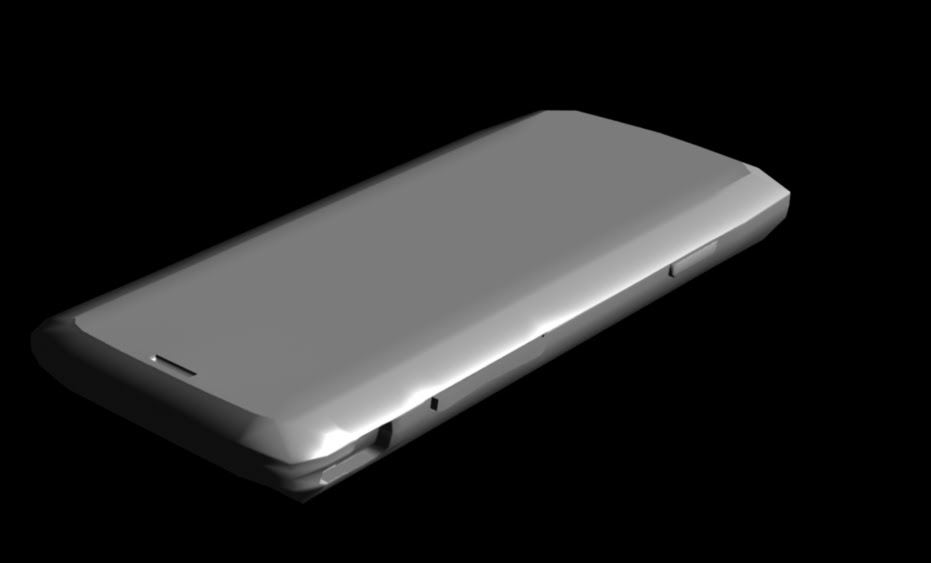
lots to talk about, some progress; about the setup I mentioned in the previous post, here is a texture decal render.

The concept is to have two or three planes orthogonal to their respective face on the object to model. In this way you can place reference images on the planes as a texture. You can then orbit around the object with the reference images and align them much easier.

these images are the imported obj mesh, this seems to be a good format for the export/import scenario. It seems to be a very common format ( I think it is a 'lightwave' obj). Regardless it seems to be common.

Aside from that, we have, at the top of the post, images of the base mesh (un-sub-dee'd). Five of them.
All and all coming along well...
29.9.11
from scratch

more work.... started from scratch again.
Rather than use the rotoscope method I used crossing planes ( will post later).
Anyway, I got better results for the holes and such but I am still getting errors.


More to mention but I am tired.
Subscribe to:
Posts (Atom)