Showing posts with label subdivision surfaces. Show all posts

3.10.11

~progress~


clean render... still some problems, this morning.

2.10.11


lots to talk about, some progress; about the setup I mentioned in the previous post, here is a texture decal render.


The concept is to have two or three planes orthogonal to their respective face on the object to model. In this way you can place reference images on the planes as a texture. You can then orbit around the object with the reference images and align them much easier.


On another note; the issue with importing and exporting seems to be coming along well...
these images are the imported obj mesh, this seems to be a good format for the export/import scenario. It seems to be a very common format ( I think it is a 'lightwave' obj). Regardless it seems to be common.


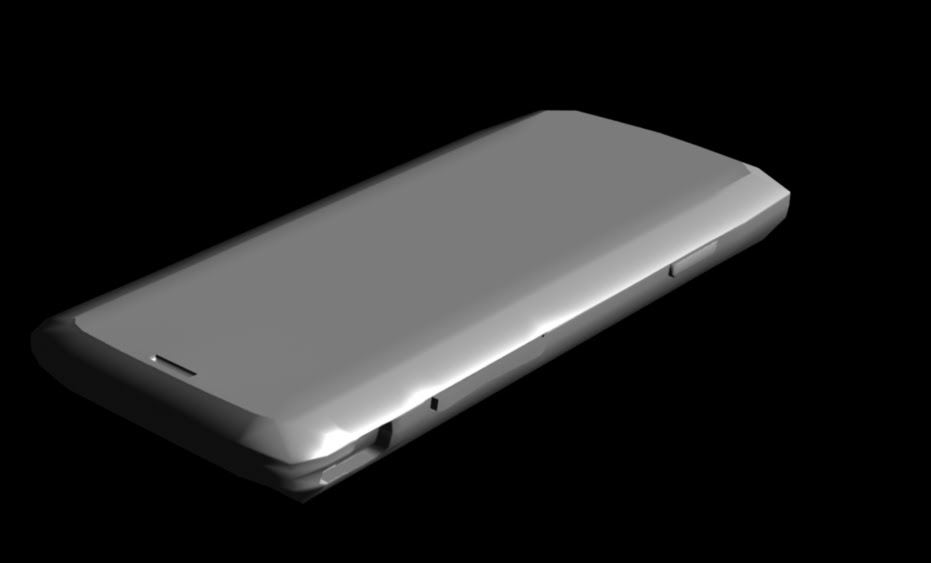
Aside from that, we have, at the top of the post, images of the base mesh (un-sub-dee'd). Five of them.

All and all coming along well...

23.9.11

some rough materials

UPDATE


...................................................................................................................

did some more cleanup and refinement of the mesh, working out the kinks of measuring in real-->3d, used an image to get the primary size and shape and now measuring (with a vernier caliper) to get the size of the phone.

The silver trim is made with a incidence in the shiny port of a modified phong shader (preset manager - a grey plastic). The black plastic on the bottom is made with the same material I used for the buttons. I modeled the ridges in the middle button,
rather than try to do them with a texture/bump map, although I think I will do that for the rest of the rough/textured surfaces on the phone.

20.9.11

more phone


another bit of update. :>


more work, got close to finished with the keypad.

19.9.11

cell phone --current

more work on my current cell phone, getting better

This took me about today to build...
I struggled with the holes and hard edged deformations. This is at Geometry Approximation; render level 2, no automatic discontinuity*. I read in the manual that it is more efficient. Not sure why but, to me, it seems obvious that if its always smooth it will be better.

19.2.11

PHYMATEUS nymph

Some progress on the grasshopper, a rotation
rendered in HD
some progress on the painting of the textures

4.5.10

MOre Abuse

Some images of the abuse I have perpetrated;

:: its a actually working


:: something of a diagram to describe the workflow


below:
current render

28.3.10

another project...


this is my attempt to model a phymateus nymph. From a book I have, I just have one view but I was pretty happy with the progress until I started the hind leg there.


Phymateus=exotic grasshopper.

28.2.10

Cell Phone


Been at this consistently so I'll show some more updates:


here's a shot with Global Illumination, as the above image seems far too dark and I want better atmosphere.


watching it render; it will take some tweaking to get the effect I want as this seems to be far too pastey and soft.


don't know why that one came out the way it did, here's a render region::


2.8.08

ant body


Working on the body for the ant character, has a really modern/new looking sleek style. Not just an ant anymore.

here are some assorted pictures,

...reminds me of the Dark Knight.